US IPTV service · 4K · FHD · HD
4K IPTV USA: live TV, every game and a full movie library on one login
Cancel the $100-plus cable bill and keep everything you actually watch. One subscription streams 25,000+ live channels and 110,000+ movies and series to the TV, stick or phone you already own, from $14 a month with nothing to sign.
- Firestick & Fire TV
- Samsung & LG Smart TV
- Apple TV & iPhone
- Android TV & boxes
Why people switch
The best IPTV in the US is the one you stop thinking about
Most of our customers come from a cable or satellite plan that kept creeping up. Here is what changes when they move over.
A fraction of the bill
A typical US cable package with box rental and fees lands between $100 and $150 a month. Our 12-month plan on one screen works out to $4.50 a month.
No contract, no box
Pay for 1, 3, 6 or 12 months. There is no credit check, no technician visit, no rented receiver and no early-termination fee when you leave.
Every room covered
Run up to four screens at the same time on one account. Plans only differ in how many streams can play at once; the channels and library are identical.
Plans & pricing
Pick your screens, then your term
Same channels and library on every plan. Longer terms simply cost less per month.
1 Month
1 Screen at once- 25,000+ live channels
- 110,000+ movies & series
- 4K, FHD & HD streams
- Program guide & catch-up
- 24/7 support
3 Months
1 Screen at once- 25,000+ live channels
- 110,000+ movies & series
- 4K, FHD & HD streams
- Program guide & catch-up
- 24/7 support
6 Months
1 Screen at once- 25,000+ live channels
- 110,000+ movies & series
- 4K, FHD & HD streams
- Program guide & catch-up
- 24/7 support
12 Months
1 Screen at once- 25,000+ live channels
- 110,000+ movies & series
- 4K, FHD & HD streams
- Program guide & catch-up
- 24/7 support
24 Months
1 Screen at once- 25,000+ live channels
- 110,000+ movies & series
- 4K, FHD & HD streams
- Program guide & catch-up
- 24/7 support
1 Month
2 Screens at once- 25,000+ live channels
- 110,000+ movies & series
- 4K, FHD & HD streams
- Program guide & catch-up
- 24/7 support
3 Months
2 Screens at once- 25,000+ live channels
- 110,000+ movies & series
- 4K, FHD & HD streams
- Program guide & catch-up
- 24/7 support
6 Months
2 Screens at once- 25,000+ live channels
- 110,000+ movies & series
- 4K, FHD & HD streams
- Program guide & catch-up
- 24/7 support
12 Months
2 Screens at once- 25,000+ live channels
- 110,000+ movies & series
- 4K, FHD & HD streams
- Program guide & catch-up
- 24/7 support
24 Months
2 Screens at once- 25,000+ live channels
- 110,000+ movies & series
- 4K, FHD & HD streams
- Program guide & catch-up
- 24/7 support
1 Month
3 Screens at once- 25,000+ live channels
- 110,000+ movies & series
- 4K, FHD & HD streams
- Program guide & catch-up
- 24/7 support
3 Months
3 Screens at once- 25,000+ live channels
- 110,000+ movies & series
- 4K, FHD & HD streams
- Program guide & catch-up
- 24/7 support
6 Months
3 Screens at once- 25,000+ live channels
- 110,000+ movies & series
- 4K, FHD & HD streams
- Program guide & catch-up
- 24/7 support
12 Months
3 Screens at once- 25,000+ live channels
- 110,000+ movies & series
- 4K, FHD & HD streams
- Program guide & catch-up
- 24/7 support
24 Months
3 Screens at once- 25,000+ live channels
- 110,000+ movies & series
- 4K, FHD & HD streams
- Program guide & catch-up
- 24/7 support
1 Month
4 Screens at once- 25,000+ live channels
- 110,000+ movies & series
- 4K, FHD & HD streams
- Program guide & catch-up
- 24/7 support
3 Months
4 Screens at once- 25,000+ live channels
- 110,000+ movies & series
- 4K, FHD & HD streams
- Program guide & catch-up
- 24/7 support
6 Months
4 Screens at once- 25,000+ live channels
- 110,000+ movies & series
- 4K, FHD & HD streams
- Program guide & catch-up
- 24/7 support
12 Months
4 Screens at once- 25,000+ live channels
- 110,000+ movies & series
- 4K, FHD & HD streams
- Program guide & catch-up
- 24/7 support
24 Months
4 Screens at once- 25,000+ live channels
- 110,000+ movies & series
- 4K, FHD & HD streams
- Program guide & catch-up
- 24/7 support
1 Month
5 Screens at once- 25,000+ live channels
- 110,000+ movies & series
- 4K, FHD & HD streams
- Program guide & catch-up
- 24/7 support
3 Months
5 Screens at once- 25,000+ live channels
- 110,000+ movies & series
- 4K, FHD & HD streams
- Program guide & catch-up
- 24/7 support
6 Months
5 Screens at once- 25,000+ live channels
- 110,000+ movies & series
- 4K, FHD & HD streams
- Program guide & catch-up
- 24/7 support
12 Months
5 Screens at once- 25,000+ live channels
- 110,000+ movies & series
- 4K, FHD & HD streams
- Program guide & catch-up
- 24/7 support
24 Months
5 Screens at once- 25,000+ live channels
- 110,000+ movies & series
- 4K, FHD & HD streams
- Program guide & catch-up
- 24/7 support
Secure checkout · card and other methods shown at checkout · 7-day money-back guarantee

Straight answers
What “4K” really means on this service
Plenty of providers print 4K on every page. Here is how it actually works, so you know what to expect before you pay.
4K where the source is 4K
Events and films produced in Ultra HD are delivered at that resolution. Most live channels are broadcast in Full HD or HD, and that is what you get on those. Every channel carries its quality label in the guide.
The connection it needs
Plan on about 25 Mbps for one 4K stream and 10 Mbps for Full HD. A steady line matters more than a big number: a wired or 5 GHz connection fixes most buffering.
A device that can decode it
Fire TV Stick 4K or 4K Max, Apple TV 4K, a recent Android TV box or a Smart TV from 2019 onward. An older 1080p stick will play the stream, just not in 4K.
US sports
Every season, every market
Sunday football from the early window to the late game, plus the prime-time matchups. Basketball and hockey nights, baseball from opening day to October, college football Saturdays, MLS and the big European leagues, and fight cards. That covers the NFL, NBA, NHL and MLB calendars.
Out-of-market games and regional sports channels are part of the line-up, so you are not stuck with whatever your zip code allows.
Get set for game dayCanales en español
Telenovelas, noticias, fútbol de Liga MX y de Europa, y canales infantiles, todo incluido en el mismo plan.
Spanish-language TV is one of the largest audiences in the US and one of the worst served by cable bundles. Every plan includes US Spanish networks plus channels from Mexico, Latin America and Spain at no extra cost.
Devices
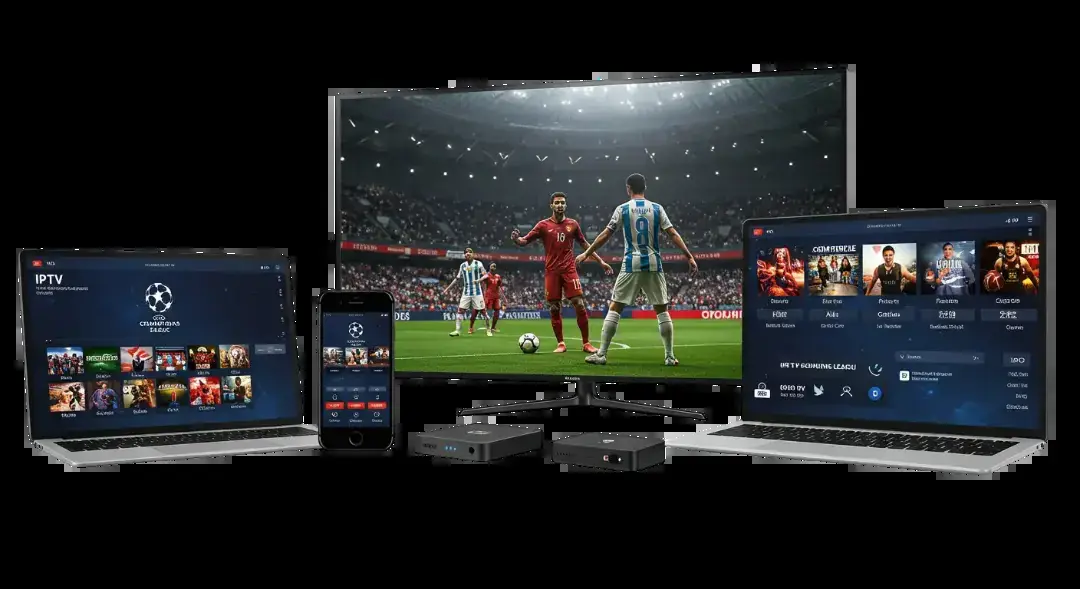
Works on what you already own
Fire TV
Fire TV Stick, Stick 4K, 4K Max and Fire TV Cube, plus Fire TV Smart TVs.
Smart TVs
Samsung (Tizen), LG (webOS), Sony, TCL and Hisense with Google TV or Android TV.
Apple
Apple TV HD and 4K, iPhone, iPad and Mac with a player app from the App Store.
Android & PC
Android phones and boxes, Nvidia Shield, Windows and MAG set-top boxes.
Roku owners: Roku does not allow the player apps this service uses, so it will not work there directly. A Fire TV Stick plugged into the same TV is the usual fix and costs less than one month of cable.
You receive standard login details (M3U playlist link and Xtream Codes login), which work in IPTV Smarters Pro, TiviMate, XCIPTV, GSE Smart IPTV and most other players. Step-by-step instructions are on the setup guide.
How it works
Watching in three steps
Choose a plan
Pick the number of screens and the length of the plan, then check out with your email and country.
Get your login
Your playlist link and Xtream login arrive by email, usually within minutes of payment. Check the spam folder if it is not there.
Enter it once
Add the login to your player app and start watching. Support can walk you through it on WhatsApp or live chat.
Compare
IPTV vs cable vs live-TV streaming apps
| Cable / satellite | 4K IPTV USA | Live-TV streaming apps | |
|---|---|---|---|
| Typical monthly cost | $100–$150 | from $4.50 (12-month plan) | $80–$95 |
| Contract | Often 12–24 months | None | None |
| Equipment | Rented box per TV | Your own device | Your own device |
| Live channels | 150–300 | 25,000+ | 100–150 |
| International & Spanish | Paid add-on packs | Included | Limited add-ons |
| Out-of-market sports | Extra packages | Included | Mostly blacked out |
| Movies & series on demand | Rentals | 110,000+ titles | Cloud DVR only |
FAQ
Questions before you buy
How much does 4K IPTV cost in the USA?
Plans start at $14 for one month on one screen. The 12-month plan costs $54 in total, about $4.50 a month, and plans for 2 to 4 screens are in the pricing table above. There are no setup fees, no equipment charges and no automatic renewals.
Is every channel in 4K?
No, and be wary of any provider that says so. Events and films produced in Ultra HD play in 4K. Most live channels are broadcast in Full HD or HD and are delivered at that quality. The guide labels each channel so you always know which version you are watching.
What internet speed do I need for 4K IPTV?
About 25 Mbps for each 4K stream and 10 Mbps for Full HD. Add up the screens that play at the same time and keep some headroom. A wired or 5 GHz Wi-Fi connection matters more than the speed on your bill, because most buffering comes from weak in-home Wi-Fi.
Can I watch NFL games and other US sports?
Yes. The line-up includes national and regional sports channels, out-of-market games and event channels, covering pro and college football, basketball, hockey, baseball, soccer and fight nights. Big events are offered in 4K when the broadcast itself is produced in 4K.
Does it work on Firestick 4K Max and Smart TVs?
Yes. Fire TV Stick 4K and 4K Max, Samsung and LG Smart TVs, Android TV, Apple TV, phones, tablets and computers all work with a free or low-cost player app. Roku is the exception, because it does not allow the player apps this service needs.
Is IPTV legal in the United States?
IPTV is a way of delivering TV over the internet, and the technology itself is legal. What is allowed depends on the content and on the rules where you live, so check your local regulations before you subscribe.
Do I need a VPN?
No, the service works without one. Some viewers use a VPN because their internet provider slows down video streams in the evening. If you only see buffering at peak times, try a reputable VPN and compare.
How fast do I get my login?
Usually within minutes of payment, by email. If nothing has arrived after 30 minutes, check your spam folder, then message support with your order number.
What if it does not work for me?
Contact support first: most problems are a quick app setting. If we cannot get it working on your device, you can ask for a full refund within 7 days of purchase under our refund policy.
Ready to drop the cable bill?
Plans from $14 a month. 7-day money-back guarantee.